Pimoroni Presto Weather Clock
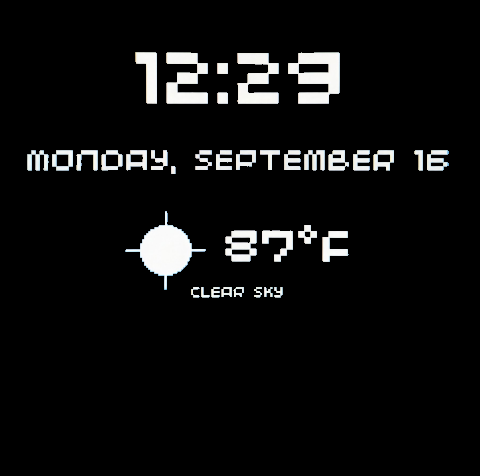
I built prestoWeatherClock as a small, focused dashboard for the Pimoroni Presto. It turns the board’s 4-inch touchscreen into a large, readable nightstand clock with the current weather alongside it.
The project is deliberately practical: it should be useful at a glance, stay out of the way when the room is dark, and keep working even when a network request has a bad day.
What it does
The main screen combines a digital clock, the date, the current temperature, the weather condition, and a simple hand-drawn weather icon. The clock can be configured for either 12-hour or 24-hour time, with seconds available when a more precise display is useful.
Weather data comes from OpenWeatherMap. The display updates on a schedule, and tapping the screen forces an immediate refresh. The icons are drawn from basic shapes rather than stored image files, which keeps the project lightweight and makes the device filesystem easier to manage.
Designed for a bedside table
The most important feature is probably the automatic night dimming. A configurable schedule adjusts the backlight between daytime and nighttime brightness, so the display can remain visible without turning into a small lamp after dark. The Presto’s onboard RGB LEDs can also mirror the screen colors for a little ambient light.
The clock is also designed to fail gracefully. Wi-Fi interruptions, NTP failures, API errors, and rate limits do not stop the main loop. Instead, the project keeps the clock running and shows the last known-good weather reading with a small status message when fresh data is unavailable.
A small, testable MicroPython project
The hardware-specific code lives alongside regular Python modules with clear responsibilities. main.py connects to Wi-Fi, synchronizes the time, handles touch input, and runs the display loop. Separate modules handle configuration, time formatting, weather requests, icons, and screen layout.
That separation also makes development easier. The pure logic can run under regular CPython, while unit tests use mocked network responses and small fake display objects. This means much of the behavior can be checked without having the Presto connected or making real API requests.
Getting started
To run it, you need a Pimoroni Presto with the latest Presto MicroPython firmware, a Wi-Fi network, and an OpenWeatherMap API key. After copying the secrets template and setting the location in config.py, upload the Python files to the board and restart it. Presto will run main.py on boot.
The repository includes configuration for units, clock format, update intervals, rendering resolution, ambient LEDs, and the day/night brightness schedule. It is a compact project, but there is enough room to tune it to the exact way a personal display should behave.